For in-house legal, outside counsel and commercial teams in aviation
Before you answer the redline, see how your team handled a similar request.
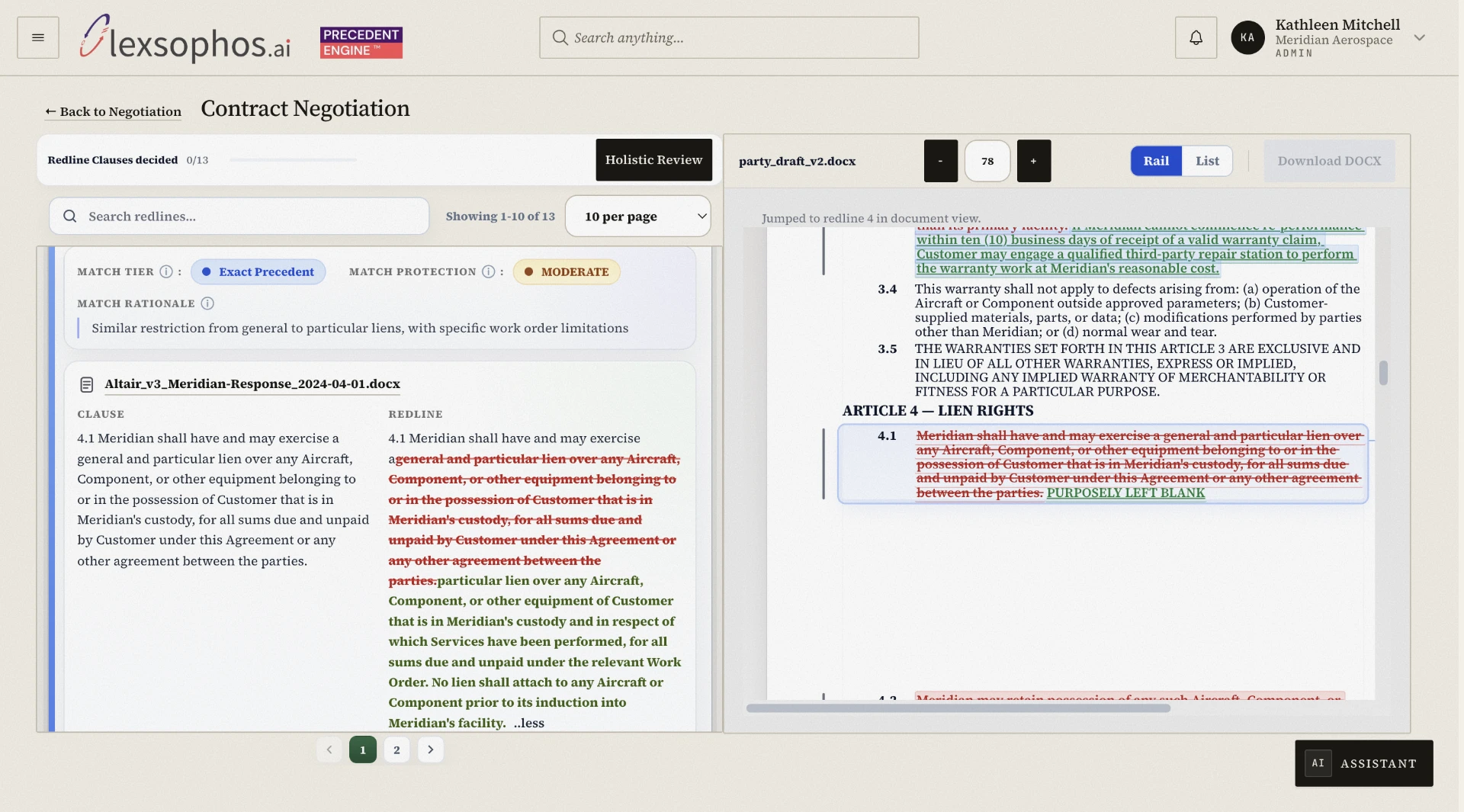
Lexsophos compares a proposed change against previously negotiated clauses, redlines and comments from your Word files, then shows how similar issues were handled before and the context behind the outcome. Every result links back to the source document, so the precedent can be instantly verified.
See the earlier position, understand how it was resolved, and decide what fits the agreement you are negotiating today, in a fraction of the time.
Review in your Lexsophos workspace. Send your next version in Word.
Free 90-day pilot.
Featured video
Product demonstration
Follow the negotiation of an aviation General Terms Agreement
The walkthrough uses an illustrative MRO (Maintenance, Repair, Overhaul) service provider's General Terms Agreement.
The decision remains yours. Earlier agreements may offer language, strategies, and concessions that align closely to your current negotiation.
Illustrative agreement. Not a customer case study.
Source document
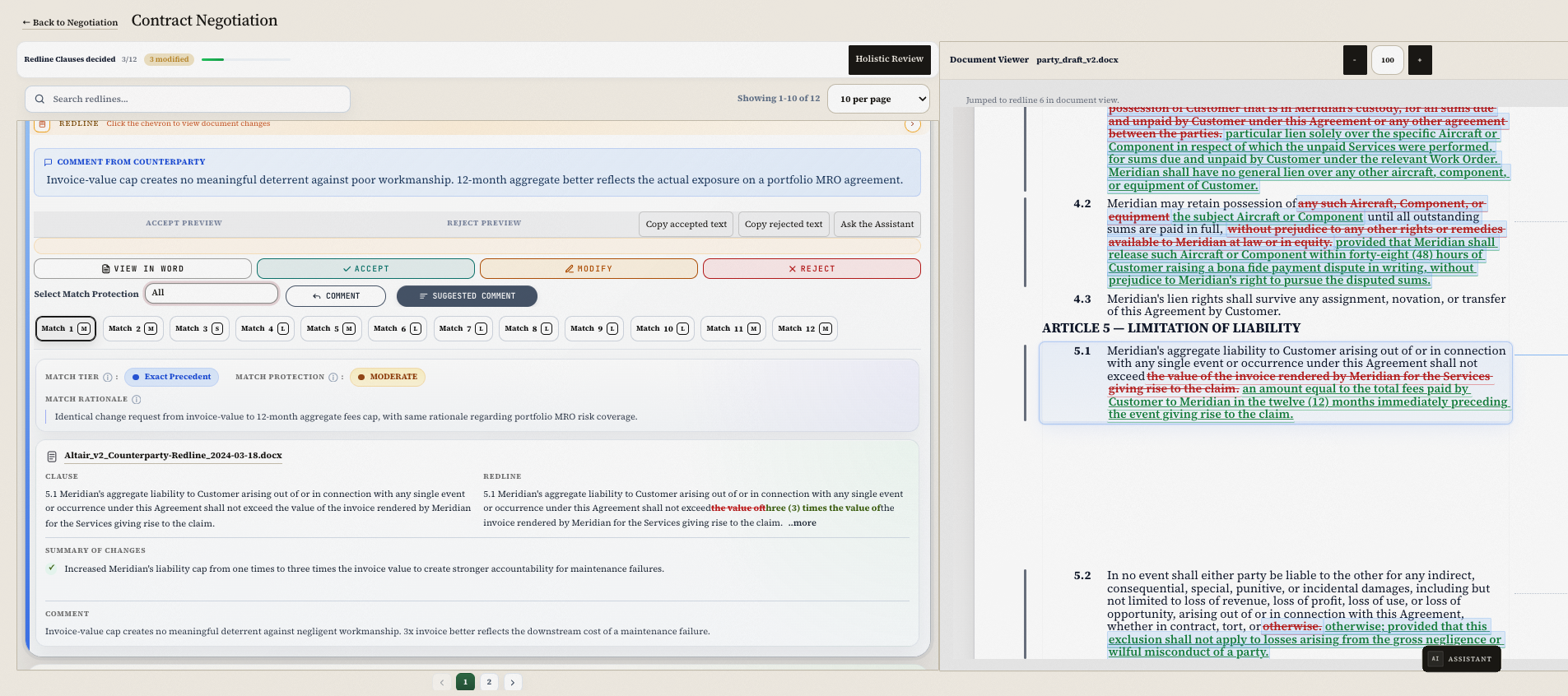
Review the matched clause with its source document and the position taken at the time.
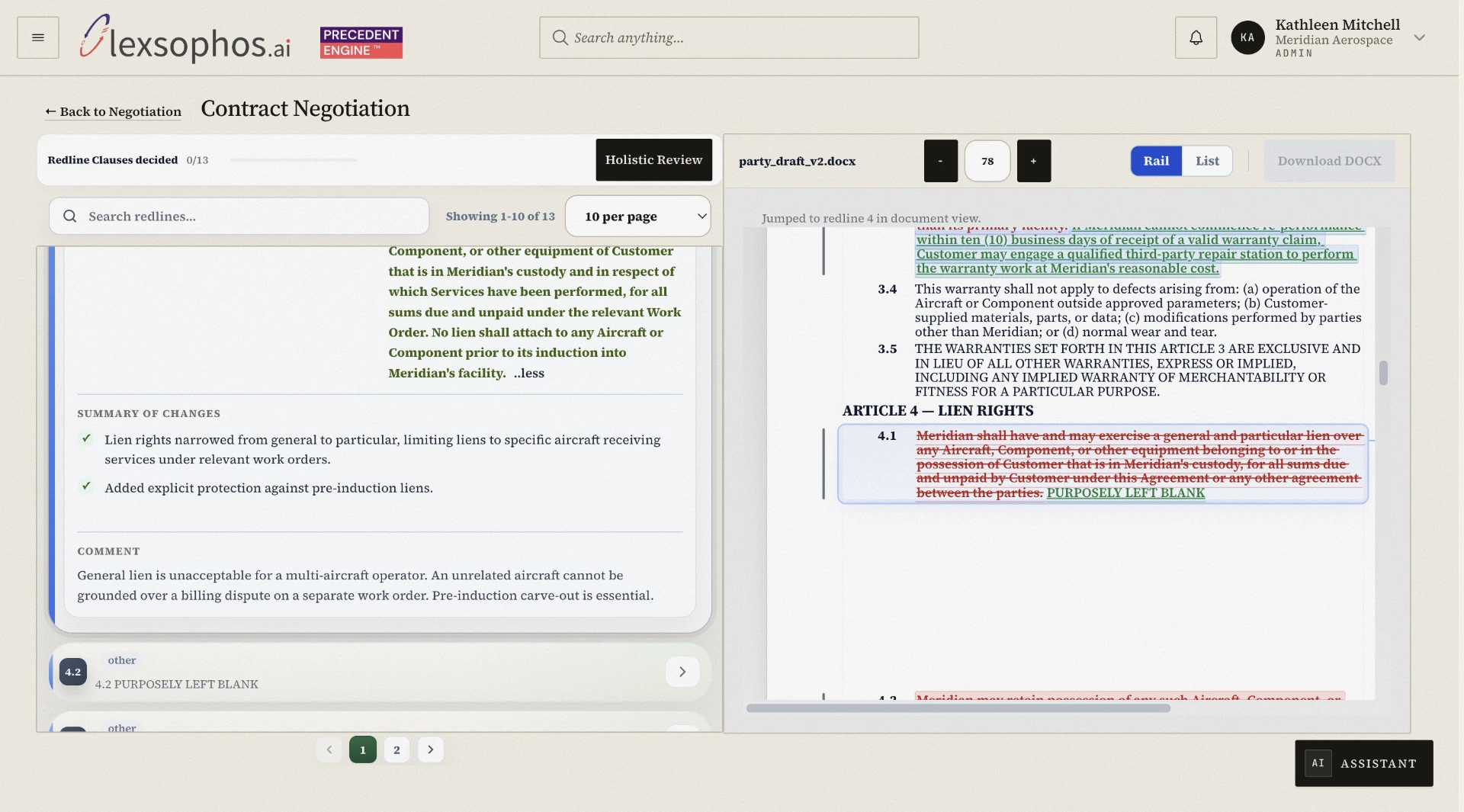
Speed up your review with the AI summary of the earlier changes, plus an Assistant you can chat with or use to run a holistic review of the agreement, all at the touch of a button.
A historical match, its recorded comment and the link to the source document in the Lexsophos workspace.

Founder
Built from experience in aviation contracting.
Years of searching prior agreements for the answer to a counterparty's clause objection showed how inefficient the manual process is. What if negotiation precedent were available when it mattered most, without sifting through folders, files, clauses, and comments?
Discover how that question became LexsophosWorkflow
Revise redlines against past Word agreements in workspace and send the next revision in Word.
Upload the negotiation files
Word-In
Add earlier Word versions with tracked changes and comments, along with the agreement you are reviewing. The workspace organizes the history by counterparty and agreement type.
Compare the proposed change
Accept, reject or modify
Review historical matches without the need to open their source documents, although presented with a link. Accept, reject or modify the language after assessing the agreement's commercial terms.
Download the next Word version
Word-out
The revised Word file is prepared in the background while making your revisions in the workspace. You then download it to send to the counterparty.
Your agreements
For in-house legal, outside counsel and commercial teams in aviation.
MROs, lessors, financiers and airlines.
Your select agreements are ingested for analysis only, no AI training.
This process involves selecting individual files or folder (corpus) of your agreements to ingest into the database hosted on your Amazon AWS single-tenant environment. Inside the database, every record is protected by Postgres row-level security.
Questions and answers
What to know before a pilot.
Lexsophos powers your contract lifecycle management (CLM) system or can be used on its own. It analyzes past negotiation history, compares it with the deal being negotiated, and supports the legal team's decision-making.
You upload Word files into a single-tenant instance on Amazon Web Services (AWS), where the data is stored and organized by counterparty and agreement type. In the Lexsophos workspace, you can review and analyze this data, inspect redlines and historical matches, and accept, reject, or modify language. The next version is then generated automatically as a Word document, ready to send to the counterparty.
We recommend uploading previously negotiated Word agreements with different counterparties, preferably including the baseline template, the tracked-changes version from each round, and the final signed version.
Often, yes. If the reason was recorded in comments, historical matches show those comments with a link to the source file. If it wasn't recorded, you can review how the clause changed across versions to work out why your team accepted it, and the AI Assistant, powered by Anthropic's Claude, can help with that analysis.
Lexsophos offers a free 90-day pilot subscription. We ask pilot participants to use the system and share feedback on how it performs. We also welcome suggestions for improvement, and some may be included in the next product release.
We will guide you in preparing your files, mainly how to organize them into folders so uploading is simple.
The pilot includes the Lexsophos entry level offering: one user, one contract per month, and three cycles per month on one dedicated AWS instance. We will also provide onboarding and ongoing user support.
We feel confident you will continue to use the system on a month-to-month subscription basis. You can of course change the service level based on your needs e.g. increase number of users, contracts per month, and cycles per month. This you are able to do on a self-service basis.
An administrator can delete your contract data from the workspace. User accounts and audit records are kept, as described on our Security page.
Before the pilot
Review contract data handling before the pilot.
Discuss hosting, access, artificial intelligence processing and retention with Lexsophos before uploading company documents.
Security informationFree 90-day pilot
Evaluate Lexsophos through a free 90-day pilot.
See the current redline, an earlier match and its source document in a 30-minute walkthrough.
The pilot includes the Lexsophos entry level offering: one user, one contract per month, and three cycles per month on one dedicated AWS instance. We will also provide onboarding and ongoing user support.

Pilot fee: $0 USD for 90 days.